For parents of children who learn differently
You know your child is capable. Let’s find how they learn best.
BrightMinds gives your child short, accessible activities that adapt to their level — while helping you understand where they’re growing and what to try next.
- Free to try
- No signup required
- Child-friendly
- Ages 3–14
How BrightMinds works
A simple path to help your child learn with confidence
Start with a short activity, discover what works, and use each session to build the next step.
Choose a starting point
Pick a subject or skill your child would like to practice.
Choose a subject →Try a short activity
Let your child learn through a calm, focused session designed for their level.
Start an activity →Learn from each session
See what your child finds easy, challenging, or especially engaging.
Explore activities →See their progress
Keep track of the skills they are building and celebrate the small wins.
View progress →Start here
What would you like your child to practise today?
Choose a skill to try a short activity, or search for something specific. Everything is free to try.
Find what fits
Explore BrightMinds by learning need
Find activities, guides and learning resources that may work well for your child.
Autism
Predictable layouts, calm mode, reducing overwhelm, and building routine around learning.
Explore resourcesADHD
Short sessions, movement breaks, and keeping focus without a fight at the table.
Explore resourcesDyslexia
Phonics practice, dyslexia-friendly fonts, read-aloud, and rebuilding reading confidence.
Explore resourcesDevelopmental delay
Matching difficulty to ability rather than age, and tracking small, real progress.
Explore resourcesHome learning toolkit
The physical tools that pair well with screen practice
Screen practice works better alongside something a child can hold. These are the items families in our newsletter reported still using after three months.

Knowledge Encyclopedia — 8-Book Boxset for Children
Check price on Amazon| Also recommended | Best for | Ages | Link |
|---|---|---|---|
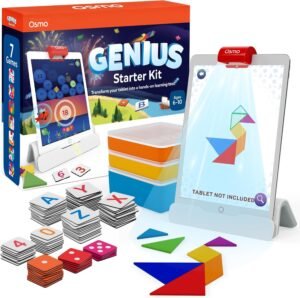 Osmo Genius Starter Kit for iPad
|
Check price | ||
 National Geographic Mega Science Lab — 75-Experiment Kit
|
Check price | ||
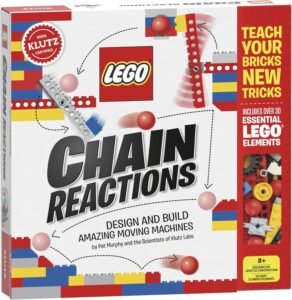 LEGO Chain Reactions by Klutz
|
Check price |
Let them explore
Fun, focused activities your child can start right away
Explore six learning subjects and four brain games with large tap targets, read-aloud questions, no timers and a calm, low-pressure experience.
Choose a comfortable starting point
Match activities to ability, not just age
Every child learns differently. Choose a starting level that feels comfortable, then move up or down as your child explores.
Getting started
Letters, colours, counting and simple matching.
Explore activities 6–8Building skills
Simple maths, early reading, words and shapes.
Explore activities 9–11Growing confidence
Longer words, multi-step activities and problem-solving.
Explore activities 12–14More independent
Reasoning, vocabulary, patterns and everyday skills.
Explore activitiesFor parents
See the small wins that are easy to miss
BrightMinds turns learning sessions into a simple progress view, so you can see what your child has been practising and celebrate how far they have come.
- See progress across different subjects
- Keep a simple record of completed sessions
- See which activities your child enjoys and practises
- Adjust the activity level whenever you need to
Parent guides & resources
Practical ideas for everyday learning
Simple guides, activities and ideas to help you support your child at home.
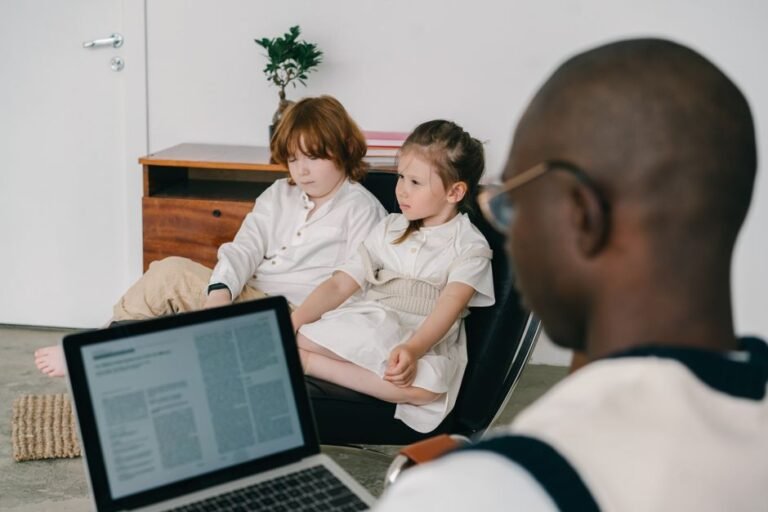
Emotion Recognition Activities for Children with Autism
Practical emotion recognition activities for autism children aged 3-14. Help your child learn to identify feelings with proven tools, apps…

Free Learning Games for Nonverbal Children
Discover free learning games nonverbal children can use at home or school, with tips on accessibility, AAC pairing and age-appropriate…
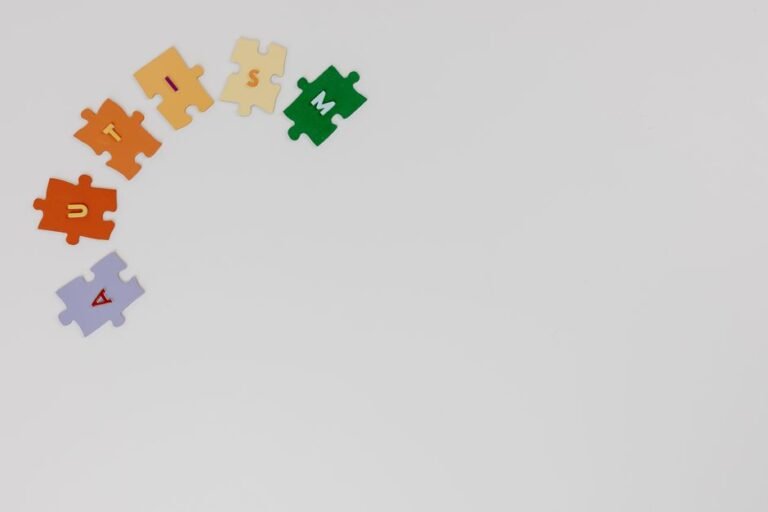
Free 2026 Quiz for Children with Autism — BrightMinds
Discover how the free BrightMinds autism quiz helps children aged 3–14 learn through calm, structured quiz games designed for autistic…
From families and classrooms
What changed for them
“My son has autism and usually refuses anything screen-based. He asked to do BrightMinds again the next day — that has never happened before.”
“I use it with my Year 3 class. No wrong-answer penalties is a game-changer for children with anxiety.”
“The big buttons and read-aloud mean my daughter can do it completely independently. That is the part I did not expect.”
Questions from parents
Frequently asked questions
Is BrightMinds suitable for children with autism?
Yes. BrightMinds was designed from the ground up with autism-friendly principles: no time pressure, no penalty for wrong answers, a calm low-stimulation colour palette, large tap targets, text-to-speech on every question, and a consistent friendly owl mascot. Children with ASD can play independently without adult support.
Is BrightMinds free to use?
Yes. Every quiz and brain game is free to play, and no account is required. We are committed to keeping quality learning accessible to every special needs child, regardless of family income.
Does my child need to create an account to play?
No account is ever required to play. Children enter their first name and age and start playing instantly — no email, no sign-up, no password. Parents can optionally create a free account to track their child's progress over time.
What age groups and conditions does BrightMinds support?
BrightMinds supports children aged 3–14 across four adaptive difficulty levels: Beginner (ages 3–5), Elementary (ages 6–8), Intermediate (ages 9–11) and Advanced (ages 12–14). It is used by children with autism, ADHD, dyslexia, Down Syndrome, cerebral palsy, speech delay, global developmental delay, and other learning differences.
Can teachers use BrightMinds in a special needs classroom?
Absolutely. BrightMinds works on any device with a browser — tablets, Chromebooks, iPads, and interactive whiteboards. The Parent/Teacher dashboard lets educators review individual session results, track progress across subjects, and adjust difficulty level. No installation or IT setup required.
How is difficulty adapted for children with learning disabilities?
BrightMinds automatically sets the difficulty level based on the child's age — but parents can override this in the dashboard to match their child's actual ability rather than their age. This is especially important for children whose developmental age differs from their chronological age.
Does BrightMinds work on tablets and mobile phones?
Yes. BrightMinds is fully optimised for touch screens. All tap targets are large, the layout adapts to any screen size, and quizzes work in both portrait and landscape orientation. It runs in any modern browser with no app download required.
What subjects are covered?
BrightMinds currently covers six subjects: Numbers (counting and basic maths), Letters (alphabet and phonics), Animals (recognition and facts), Colours (identification and naming), Shapes (2D shapes and properties), and Emotions (identifying and naming feelings). Each subject has questions across all four difficulty levels.
One email a week. One thing to try.
Practical strategies from SEN teachers, plus whatever we have added to the library. Written for five minutes of reading, not ten.
No spam, no sharing your address, unsubscribe in one click. Privacy policy